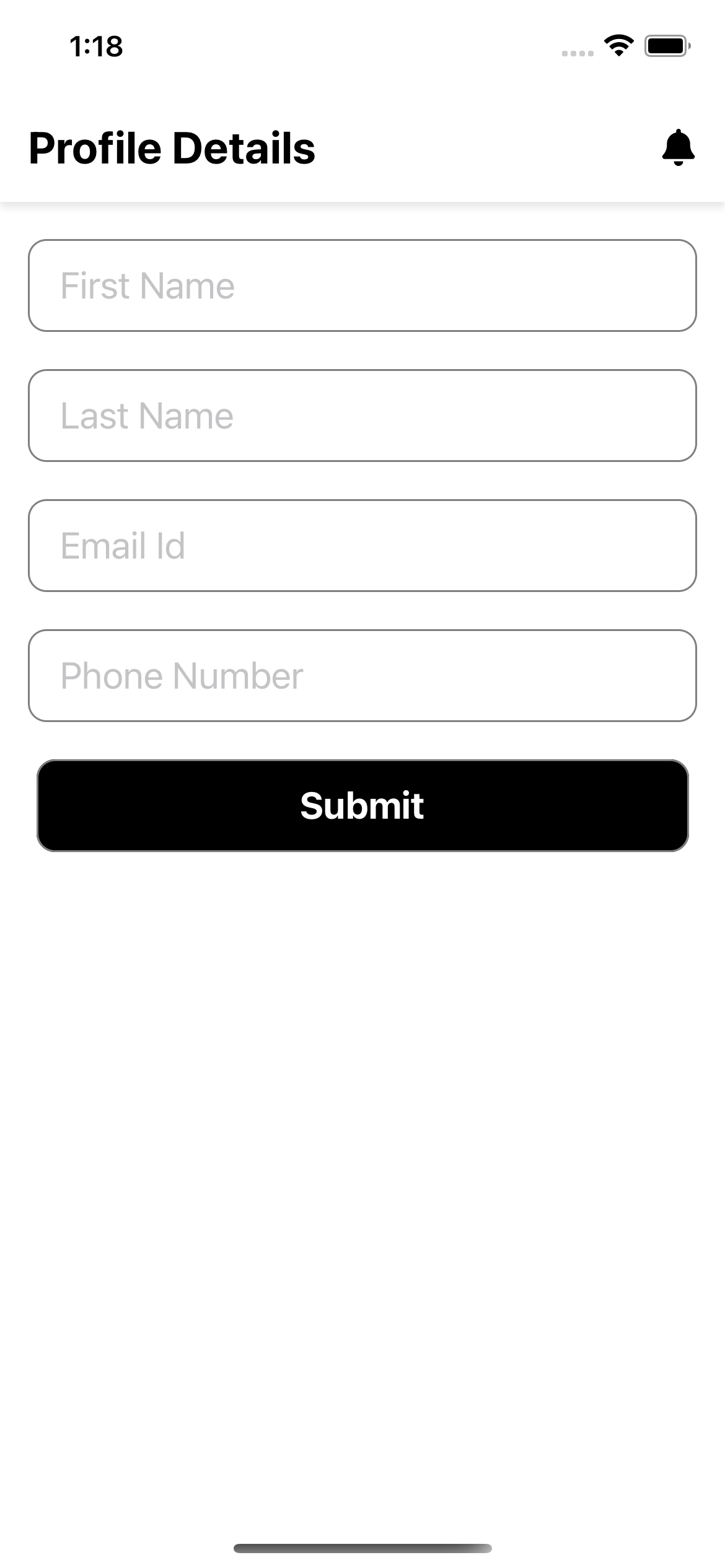
import React, { Component } from 'react';
import { StyleSheet, Text, View, Platform, TextInput, TouchableOpacity} from 'react-native';
import { FontAwesomeIcon } from '@fortawesome/react-native-fontawesome'
import { faBell, faBars } from '@fortawesome/free-solid-svg-icons'
export default class DashboardScreen extends Component {
render() {
return (
<View style={styles.container}>
<View style={styles.header}>
<Text style={styles.welcome}>Profile Details</Text>
<View>
<FontAwesomeIcon style={styles.icons} size={20} icon={faBell}/>
</View>
</View>
<View style={styles.subContainer}>
<View style={styles.inputContainer}>
<TextInput style={styles.inputs}
placeholder="First Name"
onChangeText={(firstName) => this.setState({firstName})}/>
</View>
<View style={styles.inputContainer}>
<TextInput style={styles.inputs}
placeholder="Last Name"
onChangeText={(lastName) => this.setState({lastName})}/>
</View>
<View style={styles.inputContainer}>
<TextInput style={styles.inputs}
placeholder="Email Id"
onChangeText={(email) => this.setState({email})}/>
</View>
<View style={styles.inputContainer}>
<TextInput style={styles.inputs}
placeholder="Phone Number"
onChangeText={(Phone) => this.setState({Phone})}/>
</View>
<TouchableOpacity onPress={()=>{}} style={styles.button}>
<Text style={styles.buttonText}>Submit</Text>
</TouchableOpacity>
</View>
</View>
);
}
}
const styles = StyleSheet.create({
container: {
flex: 1,
backgroundColor: 'white',
},
header: {
marginTop: Platform.OS === 'ios' ? 50 : 0,
paddingVertical: 15,
backgroundColor: 'white',
shadowColor: '#171717',
shadowOffset: {width: 0, height: 3},
shadowOpacity: 0.1,
shadowRadius: 2,
elevation: 3,
flexDirection: 'row',
justifyContent: 'space-between',
alignItems: 'center'
},
welcome: {
fontSize: 24,
fontWeight: 'bold',
marginHorizontal: 15,
},
icons: {
marginHorizontal: 15,
justifyContent: 'center',
alignItems: 'center',
},
subContainer: {
justifyContent: 'center',
alignItems: 'center',
marginTop: 20,
},
inputContainer: {
marginHorizontal: 15,
borderColor: 'gray',
backgroundColor: '#FFFFFF',
borderRadius:10,
borderWidth: 1,
height: 50,
marginBottom:20,
flexDirection: 'row',
alignItems:'center',
},
inputs:{
height:45,
marginLeft:16,
fontSize: 20,
borderBottomColor: '#FFFFFF',
flex:1,
},
button:{
width: '90%',
marginHorizontal: 15,
borderColor: 'gray',
backgroundColor: '#000000',
borderRadius:10,
borderWidth: 1,
height: 50,
marginBottom:20,
justifyContent: 'center',
alignItems:'center',
},
buttonText: {
fontSize: 20,
fontWeight: 'bold',
color: 'white',
}
});